Convert to anything
Markdown for AI, Word, PDF, RTF, OpenDocument, HTML, plain text, Excel, CSV, PNG, JPEG, HEIC or TIFF. Pick one under Convert to, then add files or folders.
Convert anything.
Keep what matters.
A file converter for your Mac. Lean Markdown for AI is still the default, and version 2.0 adds Word, PDF, spreadsheet and image output, with a fidelity rating for every file. Nothing is uploaded.
Mac App Store · Free · macOS 15 or later · Apple silicon and Intel
Everything under Convert to, in version 2.0. Markdown for AI stays the default.
Markshift started as a way to turn documents into lean Markdown before they reach a model, and that is still the default. Version 2.0 turns the same window into a full converter: a Word file into a PDF, a spreadsheet into CSV, a PDF into images. Each file says how faithful the conversion will be before you save it, and the app makes no network connections at all.
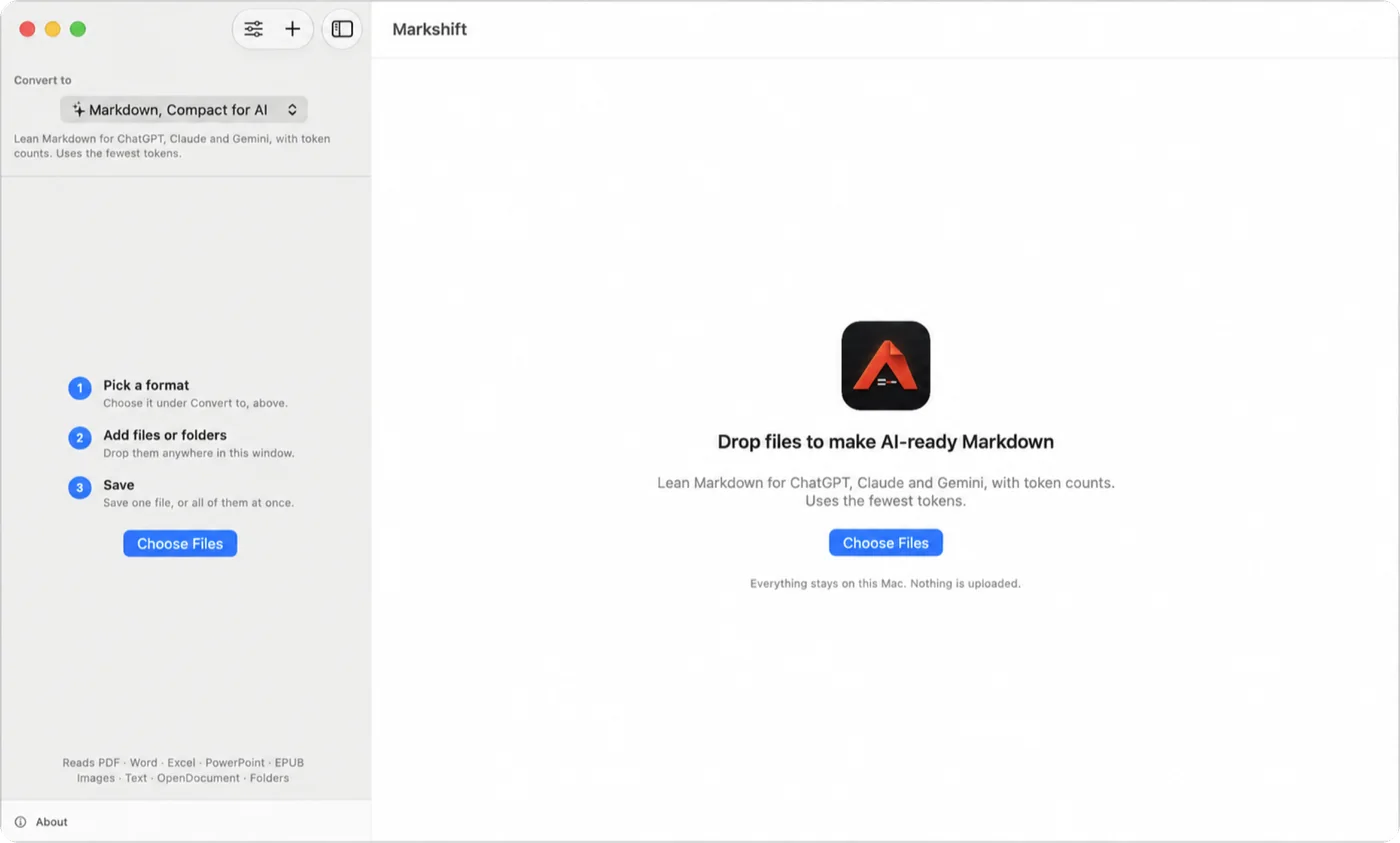
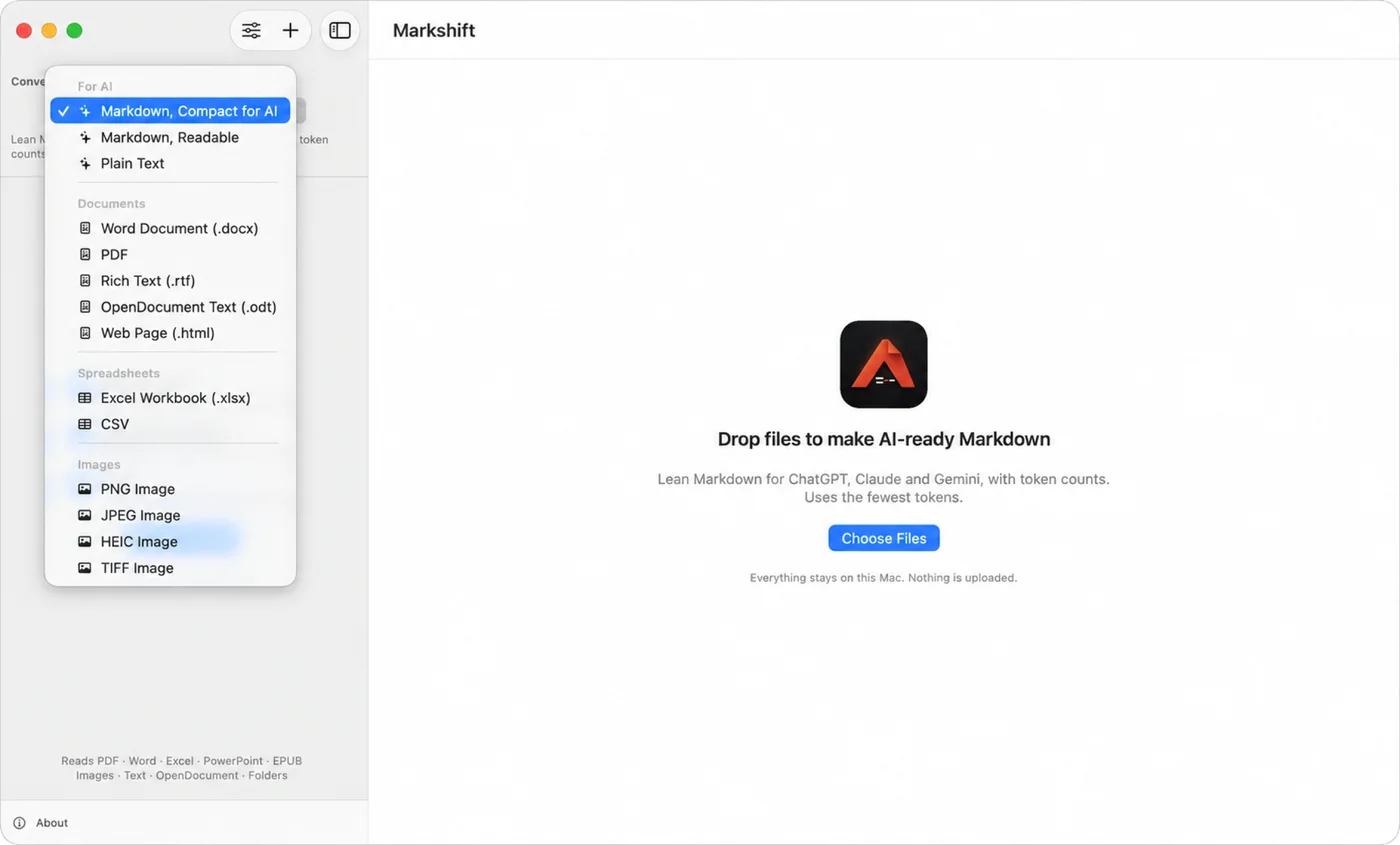
Three steps on an empty window, and every output under Convert to.
Markdown for AI, Word, PDF, RTF, OpenDocument, HTML, plain text, Excel, CSV, PNG, JPEG, HEIC or TIFF. Pick one under Convert to, then add files or folders.
Every file gets a fidelity rating and a list of what carried over and what changed, with a Quick Look preview of the actual file before you save.
Tables stay real tables in Word, PDF and Excel. Headings, bold, italic and numbered lists carry over. Numbers stay numbers, and IDs like 007 keep their zeros.
Compact Markdown works as before. Token counts are exact for GPT-5, GPT-4o and the o-series, and a close guide for Claude, Gemini and Llama.
Every conversion happens on the device. Nothing is uploaded, and the app makes no network connections.
One universal app for Apple silicon and Intel. It reads your cores, memory and thermal state, and backs off when the Mac is hot or on Low Power Mode.
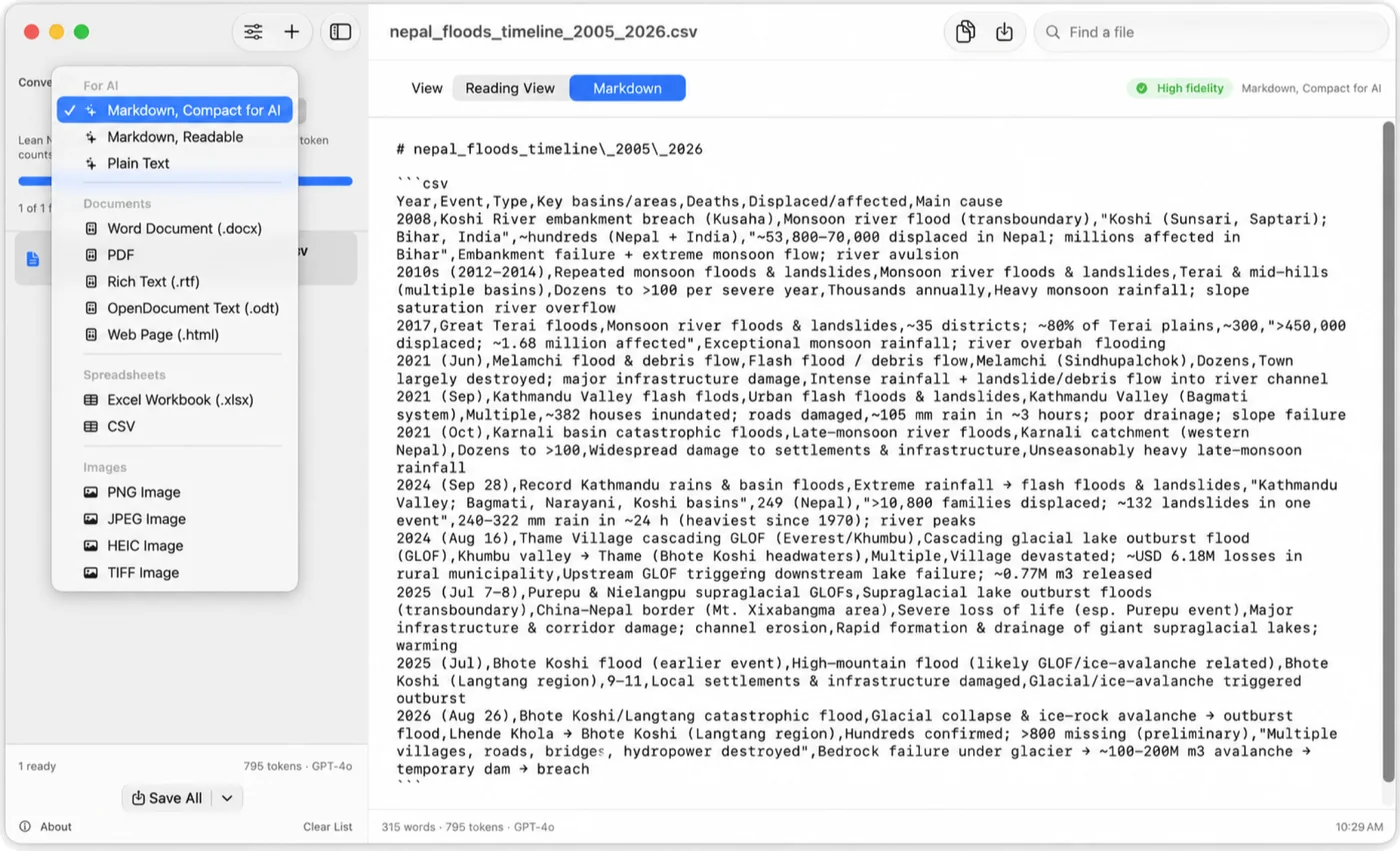
A spreadsheet turned into compact Markdown, rated High fidelity, with its exact token count for GPT-4o.
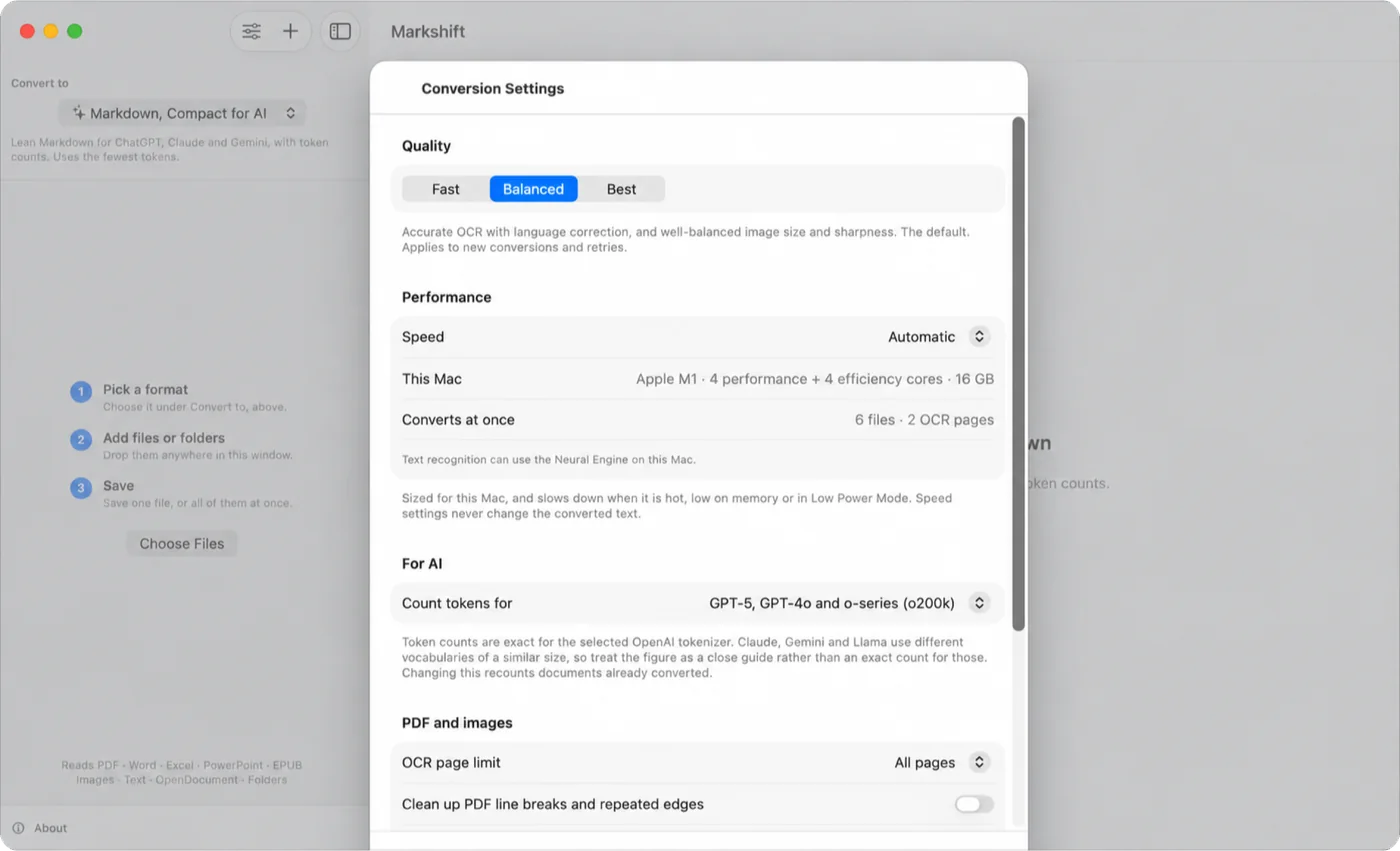
Quality, speed sized for your Mac, and which tokenizer to count for. Speed settings never change the converted text.
Markshift is free on the Mac App Store and runs on macOS 15 or later. Version 2.0 reads PDF, Word, PowerPoint, Excel, EPUB, HTML, RTF, OpenDocument, Markdown and images, and writes whichever format the next step needs. Speed settings run from Keep Mac Responsive to Maximum Speed, and never change the converted text.
macOS 15 or later
13 formats across AI, documents, spreadsheets and images
2.0 · universal
Conversions keep readable content, not the exact layout of the source application: Word or PowerPoint to PDF will not look identical to Office, and slides to images is refused with a suggestion to export a PDF first. Excel output keeps values, not formulas. Token counts are exact only for the OpenAI tokenizer you choose; for other models they are a close guide. Very large documents have stated limits, and anything left out of a conversion is reported in the result.
Support Privacy policy Email the studio