CRIT Studio

Tools for the work you actually do.

An independent studio building focused tools for design, learning, production and fieldwork. We begin with a specific difficulty, build a useful response and improve it through use with the people affected.

Design & Learning tools for craft, feedback and creative workflows
Field & Production tools for practical work beyond the desk
A phone running Screen Check held in front of a laptop playing green-screen footage. The phone shows the same shot already keyed onto a blue background.
Screen Check, live key preview against a test plate Working photograph, September 2026

What we make

Six tools in two families. Each one answers a difficulty that showed up in real work.

Design & Learning

Tools for developing craft, sharing feedback and improving creative workflows.

Crit Panel

After Effects CEP panel · released v1.9.0

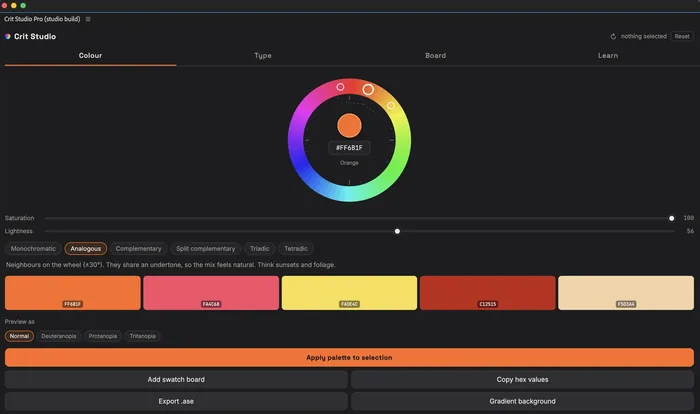
Docks inside After Effects. Pick a base colour, choose a harmony, apply the palette across selected layers, then export it as .ase or hand it to Figma. It can read the open comp and give feedback on what is actually in it.

Get the extension
  • harmoniesMono, analogous, complementary, split, triadic, tetradic
  • checksDeuteranopia, protanopia, tritanopia preview
  • exports.ase, hex list, gradient, palette to Figma
  • limitsAI features need your own API key. Saved palettes stay on that machine.
The Crit Panel window in After Effects: a colour wheel set to orange, saturation and lightness sliders, harmony options with Analogous selected, and five resulting swatches labelled with hex values.
Analogous harmony from a chosen base, with the applied swatch row
Panel actions: apply palette to selection, add swatch board, copy hex values, export .ase, gradient background, AI name and critique, send palette to Figma, and a drop zone for extracting a palette from a film still.
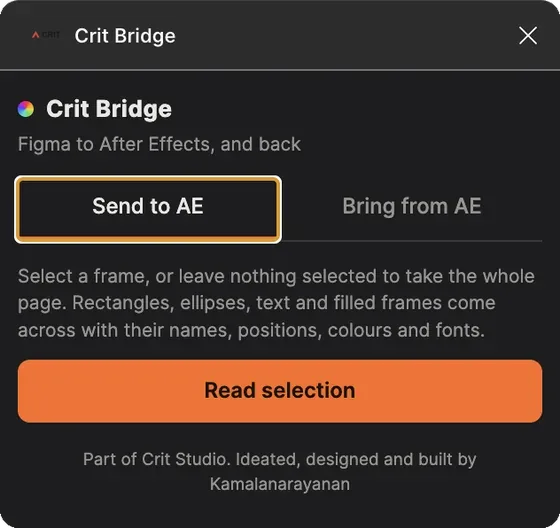
Panel sections for importing a CRIT Bridge file from Figma, reading the open composition for feedback, and starting from a written brief.

CRIT Bridge

Figma community plugin · released v1.0.1

Rectangles, ellipses, text and filled frames arrive in After Effects as actual layers, with their names, positions, colours and fonts. Fonts you do not have installed are reported rather than swapped silently, so you find out at import instead of at render.

Get the plugin
  • carriesNames, positions, colours, fonts
  • both waysSend to AE; bring a palette back as paint styles
  • scopeA selected frame, or the whole page
  • limitsReturn trip is pasted JSON, not a live link.
CRIT Bridge on the Send to AE tab, with a Read selection button.
CRIT Bridge on the Bring from AE tab, with a field for pasting palette JSON exported from Crit Panel.
Both directions of the same plugin

CRIT ColourStudio

iPhone and iPad · released v1.0.0, August 2026

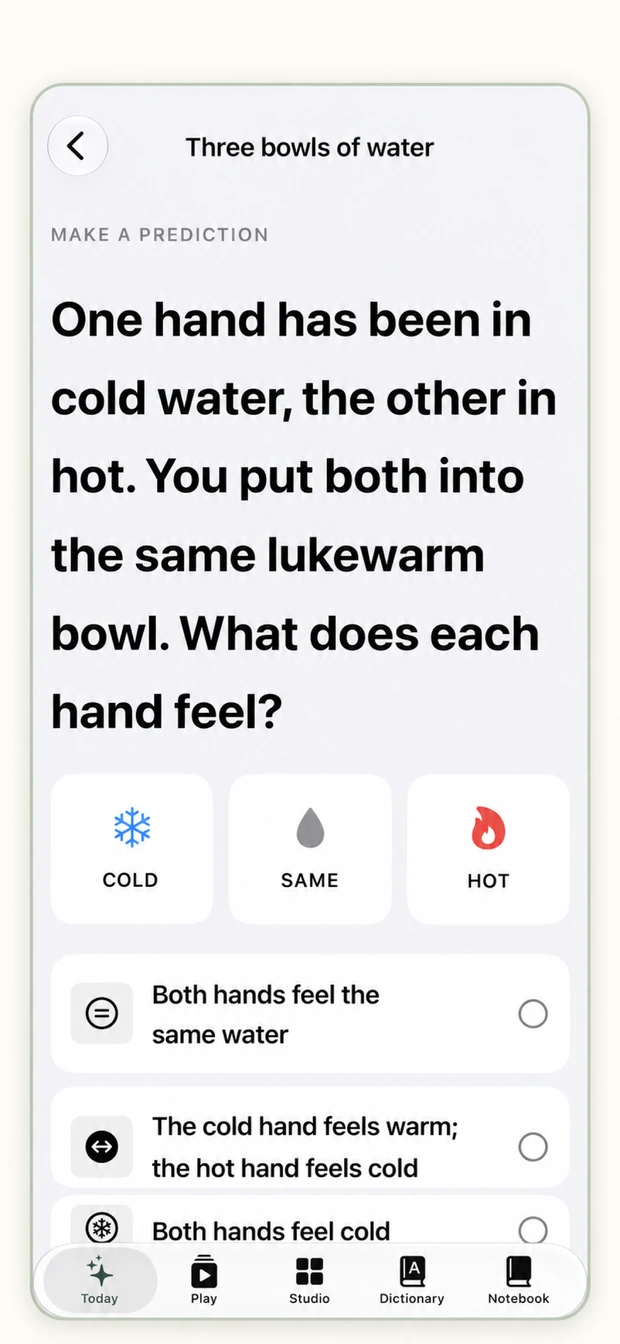
Four phases that start with something ordinary, make it fail in a useful way, then offer a better model to test. Phase one asks what a colour means before it becomes a number. Built for students who can recite colour theory and still not see it on screen.

Get the app
  • structureFour phases, five lessons, unlocked in order
  • sessionAround 90 seconds
  • accountNot required
  • limitsColour judgement depends on your display. The app asks you to set neutral light and pause Night Shift first.
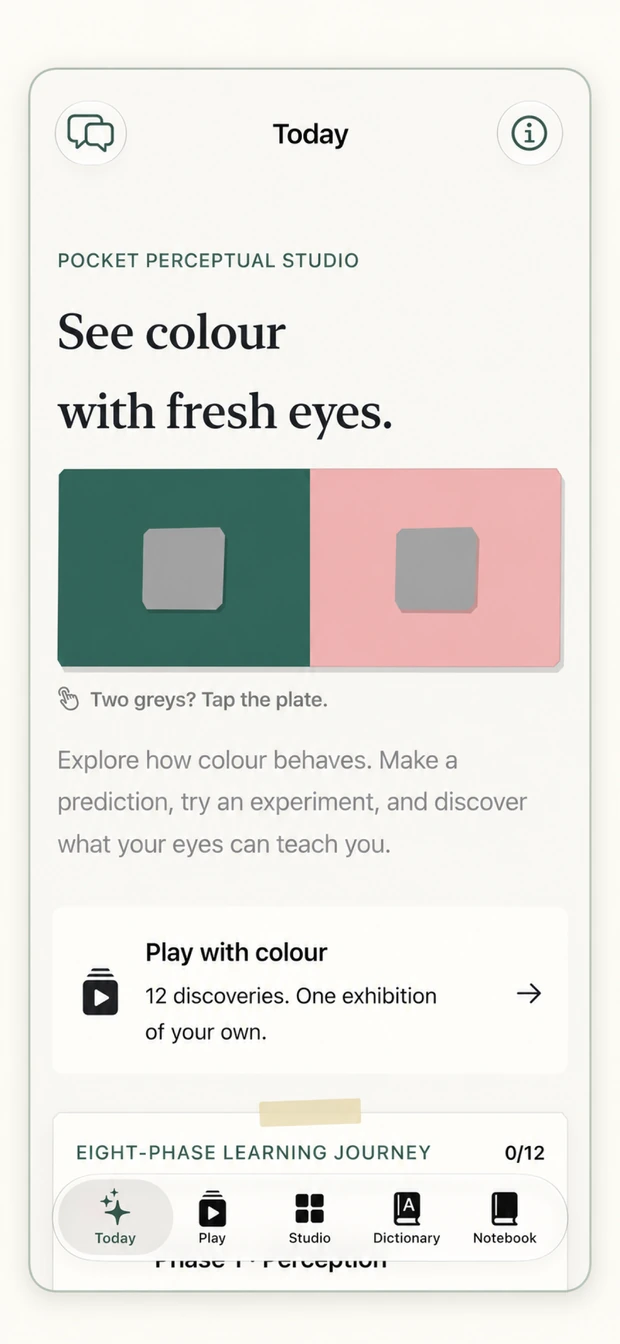
ColourStudio Today screen: build a better model of colour, with a four-phase learning journey card and field notes.
ColourStudio learning journey: experience first, model second, with four phases and the second locked until the first is finished.
A ColourStudio lesson asking what colour means before it becomes a number, with feeling and context chips and a swatch labelled Trust.

Course companion platform

Web · public name to confirm

Briefs, references, submissions and crit notes for a running studio course, in one place. Set up per course rather than per institution, so it can be in use next week without a procurement cycle.

Open the platform
  • set up perCourse, not per institution
  • holdsBriefs, references, submissions, crit notes
  • stageIn use; public name and scope still to confirm

Field & Production

Tools for planning, capturing and making sense of work beyond the desk.

Screen Check

iPhone and iPad · reported, release to verify

Set the lens, framing, screen size, performer position and lighting, and it reports what the shoot will give you: how much screen you are short, how much spill lands on their back, how even the lighting is in stops. It answers with a decision first, then the numbers behind it.

No public listing yet
  • two modesPlan on paper, or previs through the camera
  • reportsScreen coverage, camera limit, spill percentage, evenness in stops
  • materialsCloth, paint, blue
  • limitsA planning estimate from the values you enter, not a measurement of your actual stage.
Screen Check plan view with a colour-coded floor plan spill map, a clean-key line, and a verdict that the frame is 2.17 metres wider than the cloth.
Screen Check readouts: camera to performer, screen coverage short by 1.08 metres, camera limit, spill on their back at 22.8 percent, spill in profile, clean-key stand-off, and screen evenness of 0.51 stops.
The verdict comes first; the numbers back it up

Bearing

Field capture · reported, release to verify

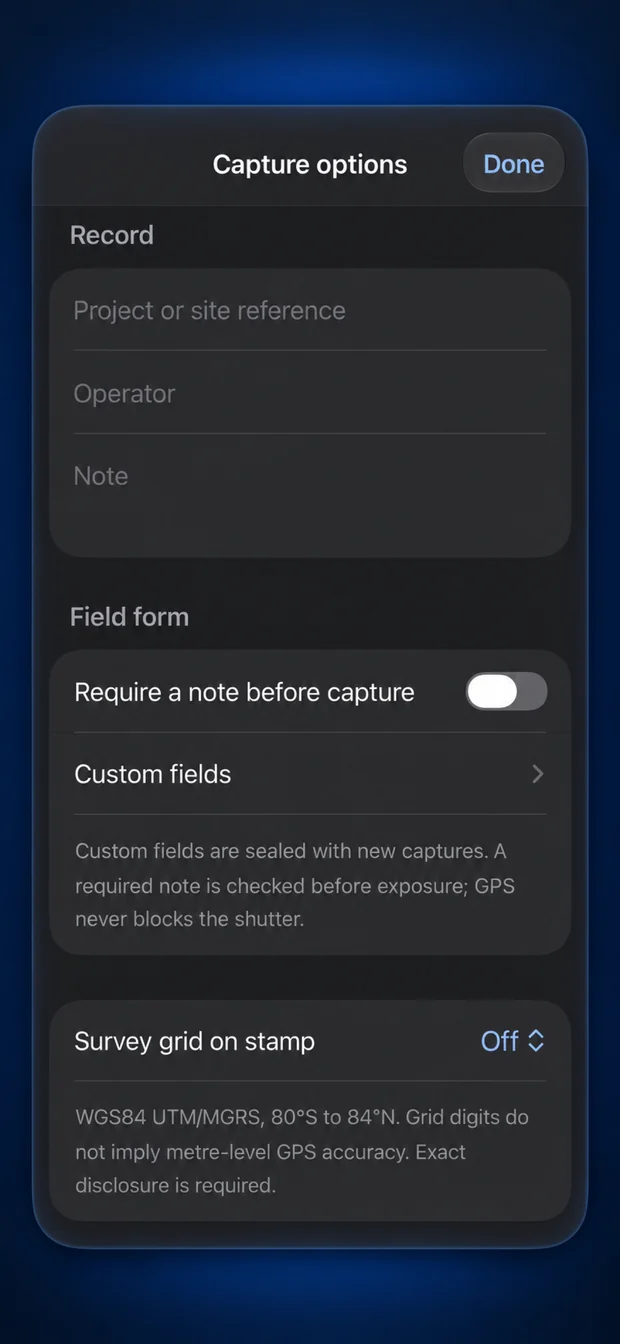
A field-capture camera for evidence and site work. Its task, audience, capabilities and release stage are not yet verified, so this page describes it no further.

No public listing yet
  • platformTo confirm
  • claimsNone made here. Capture, sealing and location behaviour need checking against the build before publication.
Claim register, open items. Every specification on this page was read from build screens dated 05 September 2026 and has not been confirmed against a current release. Screen Check and Bearing need a verified stage, platform requirement, support route and listing URL before either claims availability. The course companion platform needs a public name and scope.

Two builds

For Crit Panel and CRIT Bridge. The difference is the AI layer and whose keys it runs on.

Student build

open · no licence key

  • Every core feature, unlocked
  • No licence key, no activation
  • Bring your own API key for the AI features
  • Coursework, portfolio and personal projects

Studio build

teams and commercial work

  • Everything in the student build
  • AI layer configured and managed for you
  • Keys handled at team level
  • Support direct from the person who built it

Applies to these two products only. Pricing for the other tools is set per product.

How we work

Start with a recurring difficulty. Make a response someone can try. Learn from what happens next.

Observe

Watch a recent real task. Record the workaround people rely on and what it costs them.

Frame

Name the competing causes, then choose the single most important uncertainty.

Test

Run the smallest credible test, with continue, change and stop conditions set in advance.

Decide

Continue, narrow, change or stop on the evidence. Publish what was learned, limits included.

Practitioner frustration gives us a hypothesis. Observation with other people tests it. Where information is incomplete or unverified, this site says so rather than rounding it up into a claim.

About

One studio, run out of a classroom.

Some problems become so familiar that people stop questioning them. CRIT Studio pays attention to those moments. We ask what is getting in the way, make a response people can try, and stay close enough to learn what needs to change.

Our work can become an app, a plugin, a resource, a service or a better workflow. AI helps us explore and build. Observing real use helps us decide what deserves to continue.

The studio is run by Kamalanarayanan Kamalakannan, who spent around eleven years as a VFX compositor on international features before moving into teaching, and now runs the Communication Design programme at Woxsen University's School of Arts & Design in Hyderabad.

If a tool cannot survive thirty students using it badly in week one, it isn't finished. Working principle at CRIT Studio

What keeps getting in your way?

Tell us about a task you repeat, a workaround you rely on or a problem that deserves a closer look.

something broken
support@critstudios.com
general and collaboration
hello@critstudios.com
licensing and studio builds
kamal@critstudios.com